Chakra Labs Research Initiative

High-fidelity trajectories and
environments for frontier AI research

Developed in collaboration with leading research teams

Developed in collaboration with leading research teams

Fig 1: Instructional video engineered for emotional context

Environments

Deterministic, pixel-perfect reinforcement learning environments with frame-accurate state control

Chakra environments are built alongside active research with frame-accurate state control, temporal integrity preservation, precise input alignment, and deterministic system behavior designed to explore emergent behaviors and novel learnings.

a person standing in front of a building with a cell phone

Select clone

Notion

Figma

Canva

Gmail

LinkedIn

Salesforce

Amazon

Slack

JD.com

XiaoHongShu

Weibo

Environment clone

Notion

Environment ready

Access granted to environment clones for demonstration purposes only.

Notion Home Page Public Demo

Type: GUI, MCP

Status: Request Access

Active

Fig 2: Dojo — frame 42 is exactly where you left it

Environments

Deterministic, pixel-perfect reinforcement learning environments with frame-accurate state control

Chakra environments are built alongside active research with frame-accurate state control, temporal integrity preservation, precise input alignment, and deterministic system behavior designed to explore emergent behaviors and novel learnings.

Fig 2: Dojo — frame 42 is exactly where you left it

a person standing in front of a building with a cell phone

Select clone

Notion

Figma

Canva

Gmail

LinkedIn

Salesforce

Amazon

Slack

JD.com

XiaoHongShu

Weibo

Environment clone

Notion

Environment ready

Access granted to environment clones for demonstration purposes only.

Notion Home Page Public Demo

Type: GUI, MCP

Status: Request Access

Active

Environments

Deterministic, pixel-perfect reinforcement learning environments with frame-accurate state control

Chakra environments are built alongside active research with frame-accurate state control, temporal integrity preservation, precise input alignment, and deterministic system behavior designed to explore emergent behaviors and novel learnings.

a person standing in front of a building with a cell phone

Select clone

Notion

Figma

Canva

Gmail

LinkedIn

Salesforce

Amazon

Slack

JD.com

XiaoHongShu

Weibo

Environment clone

Notion

Environment ready

Access granted to environment clones for demonstration purposes only.

Notion Home Page Public Demo

Type: GUI, MCP

Status: Request Access

Active

Fig 2: Dojo — frame 42 is exactly where you left it

41.39%

Claude 4.5 Sonnet

29.51%

ChatGPT 5.2

9.43%

Gemini 2.5 Pro

3.69%

Llama 4 Maverick

Methodology

Built for Speed
and Scientific Rigor

Chakra environments demonstrate strong generalization across diverse tasks to OSWorld. We've built isolated evaluation protocols that prevent reward hacking during training.

Our infrastructure prioritizes execution speed to enable rapid experimental iteration. All environments are delivered via containerization, with support for both hosted deployments and on-premises installations through Harbor.

Fig 3: Model performance on dojo-bench-mini leveraging Chakra environments

Environments

Deterministic, pixel-perfect reinforcement learning environments with frame-accurate state control

Chakra environments are built alongside active research with frame-accurate state control, temporal integrity preservation, precise input alignment, and deterministic system behavior designed to explore emergent behaviors and novel learnings.

a person standing in front of a building with a cell phone

Select clone

Notion

Figma

Canva

Gmail

LinkedIn

Salesforce

Amazon

Slack

JD.com

XiaoHongShu

Weibo

Environment clone

Notion

Environment ready

Access granted to environment clones for demonstration purposes only.

Notion Home Page Public Demo

Type: GUI, MCP

Status: Request Access

Active

Fig 2: Dojo — frame 42 is exactly where you left it

Environments

Deterministic, pixel-perfect reinforcement learning environments with frame-accurate state control

Chakra environments are built alongside active research with frame-accurate state control, temporal integrity preservation, precise input alignment, and deterministic system behavior designed to explore emergent behaviors and novel learnings.

Fig 2: Dojo — frame 42 is exactly where you left it

a person standing in front of a building with a cell phone

Select clone

Notion

Figma

Canva

Gmail

LinkedIn

Salesforce

Amazon

Slack

JD.com

XiaoHongShu

Weibo

Environment clone

Notion

Environment ready

Access granted to environment clones for demonstration purposes only.

Notion Home Page Public Demo

Type: GUI, MCP

Status: Request Access

Active

Environments

Deterministic, pixel-perfect reinforcement learning environments with frame-accurate state control

Chakra environments are built alongside active research with frame-accurate state control, temporal integrity preservation, precise input alignment, and deterministic system behavior designed to explore emergent behaviors and novel learnings.

a person standing in front of a building with a cell phone

Select clone

Notion

Figma

Canva

Gmail

LinkedIn

Salesforce

Amazon

Slack

JD.com

XiaoHongShu

Weibo

Environment clone

Notion

Environment ready

Access granted to environment clones for demonstration purposes only.

Notion Home Page Public Demo

Type: GUI, MCP

Status: Request Access

Active

Fig 2: Dojo — frame 42 is exactly where you left it

41.39%

Claude 4.5 Sonnet

29.51%

ChatGPT 5.2

9.43%

Gemini 2.5 Pro

3.69%

Llama 4 Maverick

Methodology

Built for Speed
and Scientific Rigor

Chakra environments demonstrate strong generalization across diverse tasks to OSWorld. We've built isolated evaluation protocols that prevent reward hacking during training.

Our infrastructure prioritizes execution speed to enable rapid experimental iteration. All environments are delivered via containerization, with support for both hosted deployments and on-premises installations through Harbor.

Fig 3: Model performance on dojo-bench-mini leveraging Chakra environments

Environments

Deterministic, pixel-perfect reinforcement learning environments with frame-accurate state control

Chakra environments are built alongside active research with frame-accurate state control, temporal integrity preservation, precise input alignment, and deterministic system behavior designed to explore emergent behaviors and novel learnings.

a person standing in front of a building with a cell phone

Select clone

Notion

Figma

Canva

Gmail

LinkedIn

Salesforce

Amazon

Slack

JD.com

XiaoHongShu

Weibo

Environment clone

Notion

Environment ready

Access granted to environment clones for demonstration purposes only.

Notion Home Page Public Demo

Type: GUI, MCP

Status: Request Access

Active

Fig 2: Dojo — frame 42 is exactly where you left it

Environments

Deterministic, pixel-perfect reinforcement learning environments with frame-accurate state control

Chakra environments are built alongside active research with frame-accurate state control, temporal integrity preservation, precise input alignment, and deterministic system behavior designed to explore emergent behaviors and novel learnings.

Fig 2: Dojo — frame 42 is exactly where you left it

a person standing in front of a building with a cell phone

Select clone

Notion

Figma

Canva

Gmail

LinkedIn

Salesforce

Amazon

Slack

JD.com

XiaoHongShu

Weibo

Environment clone

Notion

Environment ready

Access granted to environment clones for demonstration purposes only.

Notion Home Page Public Demo

Type: GUI, MCP

Status: Request Access

Active

Environments

Deterministic, pixel-perfect reinforcement learning environments with frame-accurate state control

Chakra environments are built alongside active research with frame-accurate state control, temporal integrity preservation, precise input alignment, and deterministic system behavior designed to explore emergent behaviors and novel learnings.

a person standing in front of a building with a cell phone

Select clone

Notion

Figma

Canva

Gmail

LinkedIn

Salesforce

Amazon

Slack

JD.com

XiaoHongShu

Weibo

Environment clone

Notion

Environment ready

Access granted to environment clones for demonstration purposes only.

Notion Home Page Public Demo

Type: GUI, MCP

Status: Request Access

Active

Fig 2: Dojo — frame 42 is exactly where you left it

41.39%

Claude 4.5 Sonnet

29.51%

ChatGPT 5.2

9.43%

Gemini 2.5 Pro

3.69%

Llama 4 Maverick

Methodology

Built for Speed
and Scientific Rigor

Chakra environments demonstrate strong generalization across diverse tasks to OSWorld. We've built isolated evaluation protocols that prevent reward hacking during training.

Our infrastructure prioritizes execution speed to enable rapid experimental iteration. All environments are delivered via containerization, with support for both hosted deployments and on-premises installations through Harbor.

Fig 3: Model performance on dojo-bench-mini leveraging Chakra environments

Datasets

Trajectory Library

/

Publications

001

Human computer-use trajectories

Chakra trajectories are designed for frontier researchers pushing capability boundaries. Nuance, feedback, and temporal structure preserved across full decision trees and multi-step workflows, built with precision.

001

Create a Figma IPO financial model in Google Sheets. The model should include the following components: 1. Sheet Setup: - Title the sheet as "Figma IPO Model". - Create columns for fiscal years: CY2022, CY2023, CY2024, CY2025, CY2026, and CY2027. 2. Revenue Section: - Label a row as "Revenue". - Input the following revenue figures for each year: - CY2022: 749.011 - CY2023: 504.874 - CY2024: 2024 - Use formulas to calculate future projections based on historical data. 3. Gross Profit Section: - Label a row as "Gross Profit". - Input the following gross profit figures for each year: - CY2022: 100.419 - CY2023: 108.481 - CY2024: 120.329 - Calculate the gross margin percentage (% GM) using the formula: Gross Profit / Revenue. 4. Operating Income Section: - Label a row as "Op Inc (Non-GAEAdj Op Income)". - Input the following operating income figures for each year: - CY2022: 9.673 - CY2023: -14.6 - CY2024: 15.692 - Calculate the operating margin percentage (% Margin) using the formula: Operating Income / Revenue. 5. Net Dollar Retention (% NDR): - Label a row as "% NDR". - Input the following NDR percentages for each year: - CY2022: 159% - CY2023: 143% - CY2024: 131% 6. Free Cash Flow (FCF) Section: - Label a row as "Free Cash Flow". - Input the following FCF figures for each year: - CY2022: 91.809 - CY2023: 18.EE+181.261 - Calculate the FCF margin percentage (% FCF Margin) using the formula: Free Cash Flow / Revenue. 7. Paid Customers Section: - Label a row as "Paid Customers >$10K". - Input the following customer figures for each year: - CY2022: 5945 - CY2023: 6365 - CY2024: 6727 8. Revenue Waterfall: - Create a section labeled "Revenue Waterfall" to track revenue changes over time. - Use formulas to calculate the changes and growth rates. 9. Formatting: - Bold the titles and key metrics for clarity. - Use conditional formatting to highlight significant changes or trends in the data. Ensure all calculations are accurate and linked appropriately across the sheet to reflect changes dynamically.

14:06

Browser

003

Create a full-week meal planner in Google Sheets with the following specifications: 1. Sheet Structure: - Create a separate table for each day of the week (Monday to Sunday). - Each day's table should include columns for meal names, ingredients, and nutritional information (Protein, Fats, Carbs, Fibre, and Calories). - Include a summary table for each day that calculates the total and target macros and calories. 2. Meal and Recipe Tables: - For each meal, create a table that lists the ingredients with hyperlinks to their sources or recipes. - Include columns for each ingredient's nutritional information (Protein, Fats, Carbs, Fibre, and Calories). - Allow users to add new recipes by copying and pasting tables and hyperlinking ingredients. 3. Calorie and Macro Calculations: - Set a default daily calorie target, which should be alterable by the user. - Ensure that macro targets (Protein, Fats, Carbs, Fibre) adjust automatically based on the calorie target. - Use formulas to calculate the total macros and calories for each meal and day. 4. Customization: - Allow users to add their own recipes and meals by copying existing tables and updating the ingredient list and nutritional information. - Ensure that the total and target macros and calories update automatically when new recipes are added. 5. Formatting and Usability: - Use clear and consistent formatting for all tables and cells. - Ensure that all hyperlinks are functional and direct to the correct ingredient sources or recipes. - Provide instructions within the sheet for users on how to add new recipes and adjust targets. This setup will allow users to plan their meals for the week, track their nutritional intake, and easily customize their meal plans according to their dietary needs.

51:47

Browser

004

Create a workout routine presentation using Google Slides. Follow these steps to recreate the workout program: 1. Theme Selection: Open Google Slides and select a light theme from the available options. 2. Title Slide: Create a title slide with the name of the workout program. You can use "Upper/Lower Workout Split" as the title. 3. Workout Structure: The workout program is divided into four parts, each corresponding to a day of exercise. Create a separate slide for each day. 4. Day 1 - Upper Body (Chest Focus): Title the slide "Upper Day 1 (Chest Biased)". List six exercises focusing on the chest. Include visual examples using GIFs for each exercise. Example exercises: Incline Press, Pec Dec, Chest Fly. For each exercise, specify the sets and reps, e.g., "2 sets of 4-8 reps". 5. Day 2 - Lower Body (Quad Focus): Title the slide "Lower Day A (Quad Biased)". List six exercises focusing on the quads. Include visual examples using GIFs for each exercise. Example exercises: Squats, Leg Extensions. For each exercise, specify the sets and reps, e.g., "2 sets of 4-8 reps". 6. Day 3 - Upper Body (Back Focus): Title the slide "Upper Day B (Back Biased)". List six exercises focusing on the back. Include visual examples using GIFs for each exercise. Example exercises: Lat Pulldown, Chest Supported Row. For each exercise, specify the sets and reps, e.g., "2 sets of 4-8 reps". 7. Day 4 - Lower Body (Hamstring Focus): Title the slide "Lower Day B (Hamstring Biased)". List six exercises focusing on the hamstrings. Include visual examples using GIFs for each exercise. Example exercises: Romanian Deadlift, Leg Curls. For each exercise, specify the sets and reps, e.g., "2 sets of 4-8 reps". 8. Visuals: Ensure each exercise has a corresponding GIF to demonstrate the movement. 9. Final Review: Review each slide to ensure all exercises are correctly listed with the appropriate sets and reps. Check that all GIFs are properly embedded and functioning. This presentation will provide a comprehensive guide to a four-day workout routine, alternating between upper and lower body focus, with specific attention to different muscle groups each day. Duration (minutes): 38.34 Video URL: https://pango-service-production.s3.us-east-1.amazonaws.com/finalized/bc50d07a-d11a-4c9c-9c5a-e5fdb6e85b5f/recording.webm Type: Browser Trajectory Link: https://admin.pango.so/actions-preview?url=https://pango-service-production.s3.us-east-1.amazonaws.com/finalized/bc50d07a-d11a-4c9c-9c5a-e5fdb6e85b5f/actions_v3.json

38:34

Browser

006

Create a comprehensive analysis of internet service providers in Google Sheets. Follow these detailed steps: 1. Google Docs Setup: - Open a new Google Docs document titled "Best Internet Service Providers in Greenville, South Carolina." - Research and gather data on three internet service providers: Spectrum, AT&T, and Starlink. Focus on plan details, speed, cost, contract length, and customer reviews. Document these findings in the Google Docs file. 2. Google Sheets Setup: - Open a new Google Spreadsheet. - Create a table with columns: "Internet Service Provider," "Plan," "Cost," "Speed," "Contract Length," and "Customer Reviews." - Enter data for each provider: - Spectrum: - Plan: Internet Gig - Cost: $70 per month - Speed: 1 Gbps - Contract Length: No contracts - Customer Reviews: 3.5 - AT&T: - Plan: AT&T Internet 1000 - Cost: $70 per month - Speed: 1 Gbps - Contract Length: No annual contracts - Customer Reviews: 3.9 - Starlink: - Plan: Residential Lite - Cost: $120 per month - Speed: 300 Mbps - Contract Length: No annual contracts - Customer Reviews: 4.0 3. Comparison and Analysis: - Analyze the providers based on speed, cost, contract terms, and user ratings. - Based on the analysis, determine that AT&T is the best provider. 4. Highlighting and Summary: - Highlight AT&T's row in the spreadsheet to denote it as the selected option. - Write a summary in the spreadsheet detailing the reasons for selecting AT&T as the best provider: - Emphasize its value at $70 per month with 1 Gbps speed and no annual contracts while providing a high customer rating. By following these instructions, you'll complete the analysis of the best internet service provider in the specified region. Duration (minutes): 26.59 Video URL: https://pango-service-production.s3.us-east-1.amazonaws.com/chunks/sessions/71c02fb1-80d8-4ddc-980f-637a50024496/desktop_video.mov Type: Desktop Trajectory Link: https://admin.pango.so/actions-preview?url=https://pango-service-production.s3.us-east-1.amazonaws.com/finalized/71c02fb1-80d8-4ddc-980f-637a50024496/actions_v1_0.json

26:59

Desktop

008

Recreate a comprehensive evaluation of eco-friendly washing machines suitable for a family in Bend, Oregon. Use a desktop environment to perform the task. 1. Search and Shortlist Models: Conduct a search using Google Chrome for eco-friendly washing machines. Shortlist three specific models from Whirlpool, LG, and Samsung that fit the criteria. 2. Research Details: Visit each brand's official website and major online retailer listings to gather the following data for each model: - Price: Ensure it is no more than $1,200. - Energy Efficiency Rating: Ensure each model has an Energy Star rating with usage of no more than 50 kWh per year. - Water Consumption: Ensure it is less than 12 gallons per load. - Delivery: Confirm availability for delivery within two weeks from the decision date. 3. Create Comparison Table: Using a spreadsheet application: - Create columns for Brand, Model, Price (USD), Energy Efficiency, Water Use (per load), Delivery Availability, and Notes. - Fill in the details for each shortlisted washing machine. 4. Select Best Model: Based on the compiled data, choose the most suitable washing machine model considering cost, efficiency, and features. 5. Document Selection: Provide a justification for the chosen model: - Confirm it meets all efficiency constraints. - Detail it is priced well within the budget. - Highlight it offers the best balance of energy savings, water efficiency, reliability, and modern features. - Confirm it is widely available with delivery assured within two weeks in Oregon. Ensure all steps align with the actions observed, providing a complete and accurate representation of the task executed. Duration (minutes): 24.87 Video URL: https://pango-service-production.s3.us-east-1.amazonaws.com/chunks/sessions/85e99a62-9915-4628-a034-3fe0324a9bff/desktop_video.mov Type: Desktop Trajectory Link: https://admin.pango.so/actions-preview?url=https://pango-service-production.s3.us-east-1.amazonaws.com/finalized/85e99a62-9915-4628-a034-3fe0324a9bff/actions_v1_0.json

24:52

Desktop

009

Create a detailed step-by-step instruction for recreating the project using the specified applications: 1. Open Google Docs: - Create a new document titled "Best Internet Service Provider in Des Moines, Iowa." - Research online using Google Chrome to find internet service providers in Des Moines and note the following details in the document: - Providers: CenturyLink, AT&T, GFiber - Details to note: Plan, Speed, Cost, Contract Length, Data Cap, Customer Ratings 2. Open Google Sheets: - Create a new spreadsheet. - Prepare a table with the following columns: - Internet Service Provider - Plan - Cost - Speed - Contract Length - Data Cap - Customer Ratings - Input the researched data for each provider into the respective columns: - CenturyLink: - Plan: Fiber Internet - Cost: $75 per month - Speed: 500 Mbps - Contract Length: No annual contract - Data Cap: Unlimited data on 99.9% reliable network - Customer Ratings: 3.3 - AT&T: - Plan: Internet 300 - Cost: $65 per month - Speed: 300 Mbps - Contract Length: No annual contract - Data Cap: No data cap (unlimited) - Customer Ratings: 4.8 - GFiber: - Plan: Core - Cost: $70 per month - Speed: 1 Gbps - Contract Length: No annual contract - Data Cap: No data caps (unlimited) - Customer Ratings: 4.1 3. Analyze and Compare: - Compare the providers based on speed, cost, contract terms, and user ratings. - Conclude GFiber as the best service provider based on comprehensive evaluation, focusing on higher speeds and competitive pricing despite slightly lower customer ratings. 4. Write a Summary in Google Docs: - Provide a detailed summary of the evaluation, emphasizing why GFiber stands out as the best choice. Consider factors such as the significant speed advantage and overall value for money, alongside meeting essential constraints. - Highlight GFiber in the spreadsheet to mark it as the preferred option. 5. Highlight Conclusion: - In the Google Spreadsheet, visually highlight GFiber to denote it as the selected best option. By following these steps, you will recreate the project with the details collected and organized, providing a clear conclusion based on the comparative analysis.

50:01

Desktop

010

Create a Trello board titled "Pro Audio Interfaces for Home Studio." 1. Open Trello and create a new board named "Pro Audio Interfaces for Home Studio." This board will organize research and specifications of audio interfaces. 2. For the first product, the "Focusrite Scarlett 16i16": - Research product details via Google Search. - Create a list in Trello titled "Focusrite Scarlett 16i16." - Add cards for the following attributes: - Price: $429.99 - Sound Quality: 24 bit / 192 kHz - Inputs/Outputs: 16 total - Customer Rating: 4.8 stars - Additional Features: MIDI Input/Output support 3. For the second product, the "PreSonus Studio 1810c": - Perform similar research using Google Search. - Create a Trello list titled "PreSonus Studio 1810c." - Add cards for: - Price: $350-$450 - Sound Quality: 24 bit / 192 kHz - Inputs/Outputs: 18 inputs, 8 outputs - Customer Rating: 4.8 stars - Additional Features: MIDI Input/Output support 4. For the third product, the "Behringer UMC404HD": - Conduct research using Google Search. - Create a Trello list titled "Behringer UMC404HD." - Add cards for: - Price: $100-$200 - Sound Quality: 24 bit / 192 kHz - Inputs/Outputs: 4 XLR/TRS inputs, 4 line outputs - Customer Rating: 4.7 stars - Additional Features: MIDI Input/Output support 5. Open Google Sheets and create a spreadsheet titled "Pro Audio Interfaces." 6. In the spreadsheet, create columns for: - Product Name - Specifications - Customer Ratings - Price 7. Copy the relevant details from Trello for each product and paste them into the corresponding rows in Google Sheets. 8. Below the comparison table, document the final product selection with justification: - State the chosen product "Focusrite Scarlett 16i16." - Explain it exceeds minimum I/O requirements, maintains professional sound quality, has high customer satisfaction, reliable hardware, and future expansion potential. Offers a balanced combination of features, quality, and long-term scalability for a home studio. 9. Set the spreadsheet sharing settings to "Anyone with the link" for future reference and review. Duration (minutes): 40.55 Video URL: https://pango-service-production.s3.us-east-1.amazonaws.com/chunks/sessions/8c8ce114-a77d-4a08-b8e2-8ae990a25d42/desktop_video.mov Type: Desktop Trajectory Link: https://admin.pango.so/actions-preview?url=https://pango-service-production.s3.us-east-1.amazonaws.com/finalized/8c8ce114-a77d-4a08-b8e2-8ae990a25d42/actions_v1_0.json

40:55

Desktop

011

Create a detailed comparison of remote work software options for a small business using desktop tools. 1. Define Criteria: Ensure software covers essential features: video conferencing, file sharing, and task management. Set a budget limit of $150 per month for five users. Require an average user rating of at least 4 out of 5 stars from two independent review sites. Ensure tools offer at least a 14-day free trial. Confirm integrations with Slack, Google Drive, and Trello. 2. Select Software Options: ClickUp: An all-in-one collaboration platform offering task management, Kanban boards, docs, comments, and basic chat. Integrates with Slack, Google Drive, and Zoom. Priced at $35 per month for five users. Ratings: G2 - 4.7, Capterra - 4.6. Offers a free tier and trials. Trello + Slack + Zoom: A stack covering all needs where Trello handles task management with Kanban boards, Slack for messaging, and Zoom for conferencing. Total cost: $68.75 per month for five users. Ratings: Trello - G2: 4.4, Slack - G2: 4.5, Zoom - G2: 4.6. Google Workspace + Zoom: Google Workspace for file sharing with advanced conferencing via Zoom. Priced at $98.15 per month for five users. Ratings: Google Workspace - G2: 5.0, Capterra: 4.7; Zoom maintains above 4.5. ProofHub: Centralized project management tool with flat pricing of $45 - $89 per month, supporting unlimited users. Offers a 14-day trial. Ratings: G2 - 4.6, Capterra - 4.5. 3. Compile a Comparison Table: List software, essential features, integrations, total cost, average rating, and free trial availability. 4. Final Decision: Choose ClickUp for its balance of features, cost-effectiveness, usability, and strong user reviews. It meets all criteria under budget and integrates well with existing tools. 5. Justification for ClickUp: Value: Combines essential functions (task, docs, chat, dashboards) in one. Reduces tool management complexity. Cost: Lowest price for 5 users ($35/month), meets feature criteria, and is under budget. Ratings: Strong user reviews across platforms (4.6-4.7). Trial: Free tier and trial availability for testing. Integrations: Works with key apps (Slack, Zoom, Google Drive), ensuring connected workflows. Duration (minutes): 79.56 Video URL: https://pango-service-production.s3.us-east-1.amazonaws.com/chunks/sessions/7c2c1bb4-8c6a-4b5c-926c-2bf7ca83efa0/desktop_video.mov Type: Desktop Trajectory Link: https://admin.pango.so/actions-preview?url=https://pango-service-production.s3.us-east-1.amazonaws.com/finalized/7c2c1bb4-8c6a-4b5c-926c-2bf7ca83efa0/actions_v1_0.json

1:26:56

Desktop

012

Evaluate VPN Subscription Plans for a Small Tech Startup in Google Sheets 1. Open Google Sheets. 2. Create a new spreadsheet and title it "VPN Subscription Comparison for Startups." Sheet Setup: - Create columns with the following headers: - Provider - Annual Cost - Data Limit - Simultaneous Connections - Security Features - Customer Support - Cancellation Policy (Refund) Provider Comparison: 3. Enter the following VPN providers into the "Provider" column: - NordVPN - ExpressVPN - CyberGhost Data Entry: 4. Under each provider, input their respective plan details: - NordVPN: - Annual Cost: $59.76 - Monthly Data Limit: 1 TB - Simultaneous Connections: 10 Devices - Security Features: Threat Protection Pro - Customer Support Option: Priority Business Support - Cancellation Policy: 30-days money-back guarantee - ExpressVPN: - Annual Cost: $71.88 - Monthly Data Limit: Unlimited - Simultaneous Connections: 14 Devices - Security Features: Advanced Protection - Customer Support Option: 24/7 Live Chat Support - Cancellation Policy: 30-days money-back guarantee - CyberGhost: - Annual Cost: $83.88 - Monthly Data Limit: Unlimited - Simultaneous Connections: 7 Devices - Security Features: Advanced Encryption, Split Tunneling, Automated kill switch - Customer Support Option: 24/7 Live Chat, Email - Cancellation Policy: 45-days money-back guarantee Highlighting and Justification: 5. Highlight the best provider based on affordability, features, support, and cancellation terms. 6. Below the table, provide a justification for the chosen provider: - Chosen Provider: CyberGhost - Justification: - Meets all requirement constraints - Strongest security and chat support - Flexible cancellation policy (100% 45-days money-back guarantee) - Well under $600 budget ($83.88 for Annual Cost) - Provides unlimited data, strong security protocols, and excellent support. Final Touches: 7. Bold the chosen provider's name in the table and in the justification section. 8. Save the spreadsheet, ensuring it is clearly organized, easy to read, and properly formatted. Duration (minutes): 40.94 Video URL: https://pango-service-production.s3.us-east-1.amazonaws.com/chunks/sessions/77484038-9610-4bc7-b9db-767b2d4bc74f/desktop_video.mov Type: Desktop Trajectory Link: https://admin.pango.so/actions-preview?url=https://pango-service-production.s3.us-east-1.amazonaws.com/finalized/77484038-9610-4bc7-b9db-767b2d4bc74f/actions_v1_0.json

40:58

Desktop

013

Create a document titled "Coworking Spaces in Ghent" using a desktop application. Follow the steps to set up and organize data about coworking spaces: 1. Title and Parameters Setup: - Title the document "Coworking Spaces in Ghent". - List the search parameters: - Budget: 800 euros - Size: 4 people - Amenities: High-speed internet, meeting rooms, kitchen facilities - Location: Within 1km of Ghent city center - Availability: 6 months - Customer rating: 4+ stars 2. Research Listings: - Use Google and Google Maps to find coworking spaces in Ghent. - Document essential information for each venue: provider, website, capacity, estimated monthly rent, and included amenities. 3. Create Tables: - First Table: - Columns: Name, Website, Amenities, Capacity, Rental Cost, Availability, Distance from City Center, Customer Rating. - Second Table for Ratings and Amenities: - Include additional details if extra costs are associated with any amenities. 4. Comparison Table: - Shortlist the top options for further comparison. - Criteria for comparison include cost-effectiveness, amenities, location proximity, and user satisfaction. 5. Final Selection: - Highlight "Kohezie" as the chosen space, justifying why it’s ideal for the project team: - Meets the budget constraint - Accommodates four team members - Provides necessary amenities for both daily work and team collaboration - Excellent independent user ratings 6. Conclusion Details: - Document: "Kohezie is the best choice for the project team as it balances cost, amenities, location, and user satisfaction. It fits within the 800 euros monthly budget, provides all required amenities, and has great ratings from independent websites." Ensure the document reflects this setup accurately, with all data and comparisons well-organized and clearly presented. Duration (minutes): 26.8 Video URL: https://pango-service-production.s3.us-east-1.amazonaws.com/chunks/sessions/b31aa68f-8919-4ab3-a513-b5012c629aea/desktop_video.mov Type: Desktop Trajectory Link: https://admin.pango.so/actions-preview?url=https://pango-service-production.s3.us-east-1.amazonaws.com/finalized/b31aa68f-8919-4ab3-a513-b5012c629aea/actions_v1_0.json

26:45

Desktop

014

Create a working document in Google Docs titled "Renewable Energy Cost Verification - Greece." Use this document to outline requirements for your analysis: 1. Compare residential solar PV and small wind turbine systems. 2. Ensure all costs are listed in Euros. 3. Verify each source is published within the last 18 months. 4. Treat this document as a checklist to ensure completeness. Next, open Google Sheets to construct a comparison table with the following columns: - Energy Type - Source - Cost - Cost Unit - Annual Output (kWh) - Cost per kWh - Publication Date. Conduct online research using Google Search to find reliable data sources such as European energy portals, government websites, and international renewable energy reports. Look for information on installation costs and performance estimates in kWh per year. Enter the collected data into the table, ensuring publication dates are within the specified range and costs are converted to Euros. In Google Docs, write a final justification for why Solar PV is the preferred choice based on your findings. Include points such as lower installation costs, strong and predictable energy output, and a reliable cost-to-output ratio. Emphasize the affordability, consistency, and ease of deployment of solar PV systems. Link the Google Sheets comparison table to this document for reference. Use Google Sheets to ensure data accuracy and check that the comparison table provides a clear overview of which option offers better value based on cost and performance analysis.

1:25:29

Desktop

015

Create a Google Workspace project to compare business communication platforms: Microsoft Teams, Slack, and Zoom. The project involves using Google Docs for documentation and Google Sheets for data comparison. Follow these detailed steps: In Google Docs: 1. Create a new document titled "Compare Business Communications Platforms." 2. List the following sections with bullet points: - Pricing Comparison - Feature Requirements - User Capacity - Competitor Analysis - Tradeoff Analysis 3. Define requirements, such as: - The total subscription cost should not exceed $1,200 per year for 50 users. - The platform must include video conferencing, chat, and file sharing capabilities, achieving at least 90% user satisfaction. 4. Highlight the need to compare at least three distinct platforms (Microsoft Teams, Slack, Zoom) with summarized pricing, features, and user ratings. 5. Outline a tradeoff assessment between cost and features, deciding whether advanced features (like integrations and analytics) are necessary over lower pricing. 6. Justify the final selection of the platform (Microsoft Teams): - State that Microsoft Teams was selected as it meets all constraints while remaining within the $1,200 annual budget. - Explain that Teams offers a comprehensive collaboration suite, seamless Microsoft Office integration, 91% user satisfaction, and a balance between cost efficiency and functionality compared to Slack's higher cost and Zoom's limited collaboration features. In Google Sheets: 1. Create a new Google Sheet and set up the following comparison table columns: - Platforms - Annual Cost - Key Features - User Rating - Scalability 2. Input the data for each platform: - Microsoft Teams: $1,000/year, Video meetings, chat, file sharing, Office integrations, User rating 91%, Easily scalable via Microsoft 365 plans. - Slack: $4,200/year, Advanced chat, integrations, file sharing, limited video, User rating 90%, Scales well but cost increases fast. - Zoom: $1,000/year, High-quality video chat, basic file sharing, User rating 92%, Scalable with business plans. 3. Highlight the best option (Microsoft Teams) based on cost, features, and scalability. 4. Return to Google Docs to finalize the document with detailed justifications for choosing Microsoft Teams as the optimal platform. Include how it supports effective remote team collaboration through reliable video conferencing, real-time chat, and secure file sharing. Ensure all relevant comparisons and conclusions are clearly documented for an informed decision-making process.

34:45

Desktop

Fig 4: Sample dataset table

2,500+

Hours of trajectories

25 Billion

Segmented image tokens

10 Million

Screenshot / action pairs

Datasets

Trajectory Library

/

Publications

001

Human computer-use trajectories

Chakra trajectories are designed for frontier researchers pushing capability boundaries. Nuance, feedback, and temporal structure preserved across full decision trees and multi-step workflows, built with precision.

Fig 4: Sample dataset table

2,500+

Hours of trajectories

25 Billion

Segmented image tokens

10 Million

Screenshot / action pairs

View sample trajectory data on desktop

Datasets

Trajectory Library

/

Publications

001

Human computer-use trajectories

Chakra trajectories are designed for frontier researchers pushing capability boundaries. Nuance, feedback, and temporal structure preserved across full decision trees and multi-step workflows, built with precision.

Fig 4: Sample dataset table

2,500+

Hours of trajectories

25 Billion

Segmented image tokens

10 Million

Screenshot / action pairs

View sample trajectory data on desktop

Datasets

Trajectory Library

/

Publications

001

Human computer-use trajectories

Chakra trajectories are designed for frontier researchers pushing capability boundaries. Nuance, feedback, and temporal structure preserved across full decision trees and multi-step workflows, built with precision.

Fig 4: Sample dataset table

2,500+

Hours of trajectories

25 Billion

Segmented image tokens

10 Million

Screenshot / action pairs

View sample trajectory data on desktop

Opinionated
Design Principles

Automated task generation

Bespoke task generation delivered in 24 hours. Our environments generate novel challenges automatically, enabling experiments with extended autonomous runtime. Models learn to recover from errors and adapt to new situations without human intervention.

GUI + API environments

Environments supporting simultaneous GUI and API interaction within single tasks. Agents can switch between visual navigation and programmatic commands based on task context. This mixed-modality capability enables research on workflows where both interaction modes are available.

Join us

Chakra is an applied research team pushing the boundaries of agents

We provide research-grade infrastructure for frontier-scale experiments in proprietary regimes where emergent behaviors develop. We work on hard infrastructure problems: frame-accurate state capture, deterministic environment design, mixed-modality training systems.

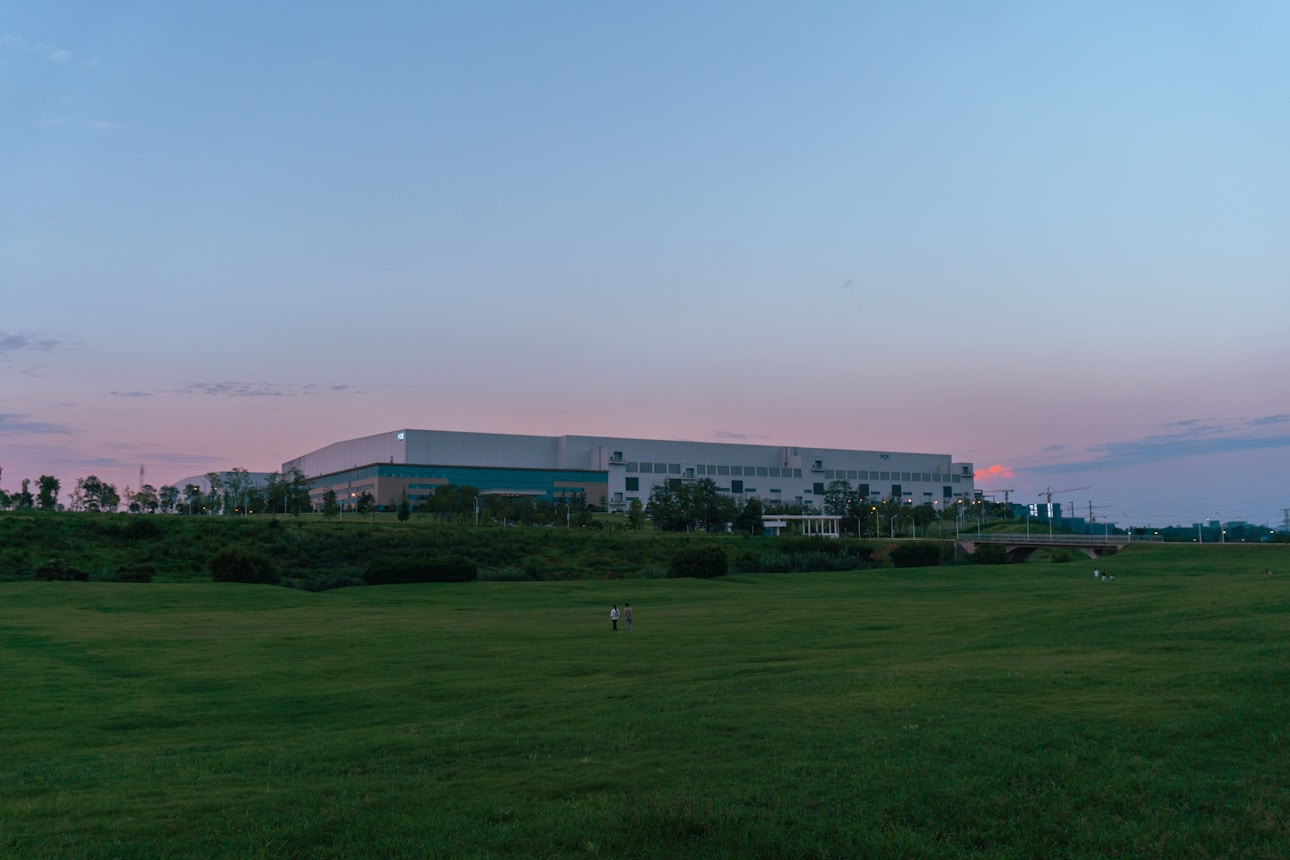
Realistic interactivity applies to our digital environments only - office space pictured is hypothetical.

Request
Platform Access

Access research-grade infrastructure for agent development. Deterministic environments with frame-accurate state control, high-fidelity trajectory datasets, and mixed-modality training capability.

Frontier Data Laboratory

Contact

Social Channels

Company Resources

Newsletter

Copyright ©2026 Chakra Labs. Unauthorized duplication or use of the content of this website is prohibited.

Request
Platform Access

Access research-grade infrastructure for agent development. Deterministic environments with frame-accurate state control, high-fidelity trajectory datasets, and mixed-modality training capability.

Frontier Data Laboratory

Contact

Social Channels

Company Resources

Newsletter

Copyright ©2026 Chakra Labs. Unauthorized duplication or use of the content of this website is prohibited.

Request
Platform Access

Access research-grade infrastructure for agent development. Deterministic environments with frame-accurate state control, high-fidelity trajectory datasets, and mixed-modality training capability.

Frontier Data Laboratory

Contact

Social Channels

Company Resources

Newsletter

Copyright ©2026 Chakra Labs. Unauthorized duplication or use of the content of this website is prohibited.